Purpose
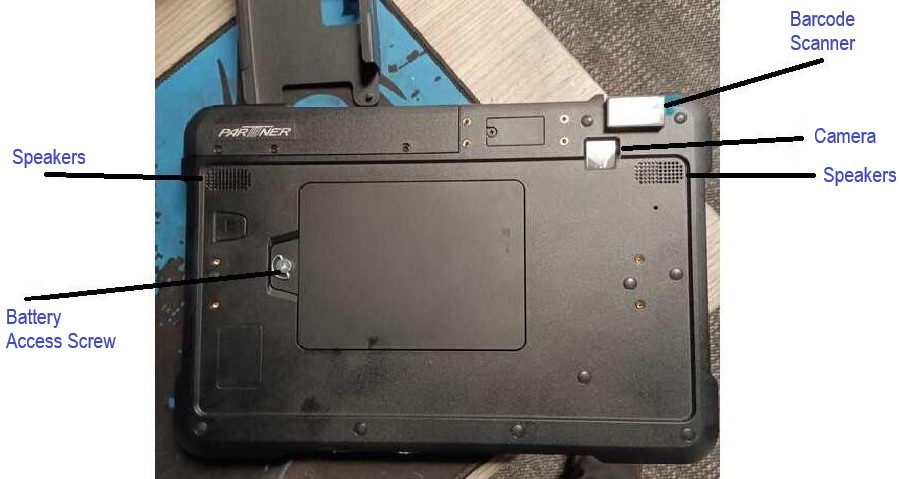
This article outlines the process for installing or removing the 365 Dining Handheld Tablet battery. Please note: Battery install/removal will require access to the back panel of the Tablet, and may require a Phillips Head Screwdriver if the Battery Access Screw is too tightly set.
Hardware Overview
Process
- Locate the Battery Access Screw and use the handle to begin loosening the screw. Alternatively, use a screwdriver if the screw does not move via the handle.
- Lift cover plate off when access screw is unscrewed.
Locate the "PULL" tab on the battery. Grab the tab and lift the battery out, being careful to not rip the pull tab.
- If installing a new battery, line up the battery with the pin power connectors and insert the new battery in the same motion as removing the previous.